
For most people, 120Hz is the sweet spot in 2026. It makes scrolling and gaming feel noticeably smoother than 60Hz. Battery impact stays small if the phone has an adaptive (LTPO) display. 90Hz is fine on a tight budget. 144Hz mainly helps competitive gamers whose games support it.
Below, we explain what refresh rate actually means, how it differs from touch sampling rate, and which number to look for at your budget.
- 60Hz: basic. Fine for calls and videos, but scrolling feels slower.
- 90Hz: a clear upgrade over 60Hz and good for budget phones.
- 120Hz: the best balance of smoothness and battery for most buyers.
- 144Hz+: for gamers whose games actually support high FPS.
What is refresh rate?
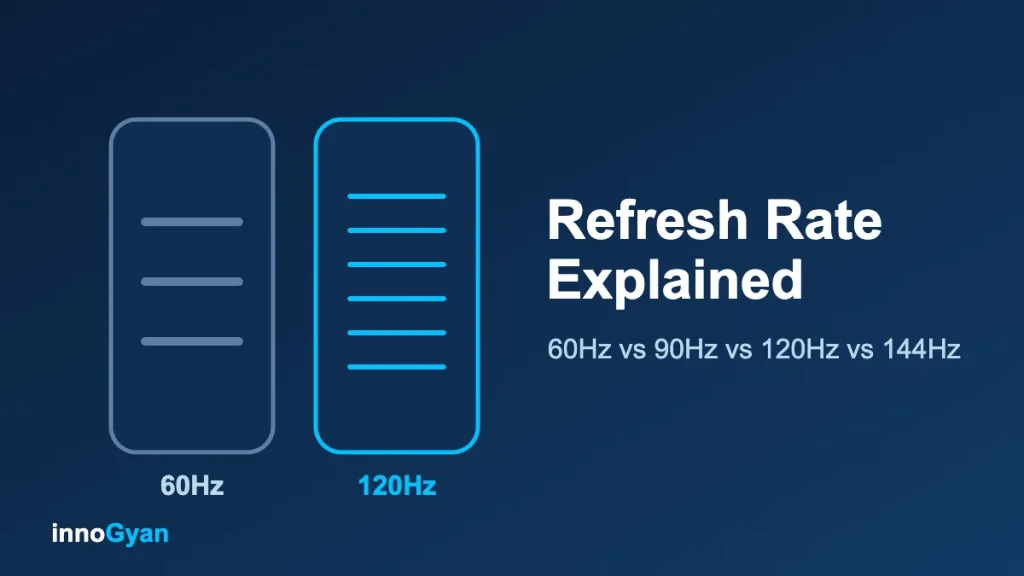
Refresh rate is how many times per second your screen updates the image. It is measured in hertz (Hz). A 60Hz screen updates 60 times a second, and a 120Hz screen updates 120 times.
More updates per second make moving content look smoother: scrolling, animations and fast games.
60Hz vs 90Hz vs 120Hz vs 144Hz compared
| Refresh rate | Time per refresh | Feels like | Best for |
|---|---|---|---|
| 60Hz | ~16.6 ms | Standard, a bit choppy when scrolling | Basic use, very low budgets |
| 90Hz | ~11.1 ms | Clearly smoother than 60Hz | Budget phones |
| 120Hz | ~8.3 ms | Very smooth scrolling and gaming | Most buyers |
| 144Hz | ~6.9 ms | Slightly smoother than 120Hz | Competitive gamers |
The jump from 60Hz to 90Hz or 120Hz is easy to notice. The jump from 120Hz to 144Hz is much smaller for most eyes.
Refresh rate vs touch sampling rate
These two are often confused because both are measured in Hz.
- Refresh rate: how often the screen image updates.
- Touch sampling rate: how often the screen checks for your finger.
For gaming, both matter. A high touch sampling rate makes taps and swipes register faster, which helps in shooters like BGMI.
| Spec | What it affects | Why gamers care |
|---|---|---|
| Refresh rate | Visual smoothness | Smoother motion at high FPS |
| Touch sampling rate | Input response | Faster tap and aim response |
Does a higher refresh rate drain battery?
Yes, a fixed high refresh rate uses more power. In older phones the hit was noticeable. Android Authority measured about a 9% battery drop on the Galaxy S20 Ultra at 120Hz versus 60Hz.
Modern phones fix this with adaptive refresh rate. The screen speeds up when you scroll or game, then slows down for static content.
What is LTPO (adaptive refresh rate)?
LTPO is a display technology that lets the refresh rate drop very low, to 10Hz or even 1Hz, when nothing on screen is moving. That saves battery on still images, reading and the always-on display.
- LTPO: wide range (e.g. 1–120Hz), best battery savings. Usually on premium phones.
- Basic adaptive: switches between a few fixed steps (e.g. 60/90/120Hz). Common in mid-range phones.
- Fixed: one rate all the time. Found in the cheapest phones.
Does refresh rate matter for gaming?
Only if the game runs at a matching frame rate (FPS). A 144Hz screen can’t show 144 FPS if the game is capped at 60 or 90 FPS.
- Check which FPS options a game offers on your specific phone model.
- Many popular shooters support 90 FPS or 120 FPS only on selected devices.
- The chipset and cooling decide whether high FPS stays stable over a long session.
Which refresh rate should you choose?
| Your use | Pick |
|---|---|
| Calls, WhatsApp, YouTube | 90Hz is enough |
| Heavy social scrolling | 120Hz |
| Casual gaming | 120Hz |
| Competitive gaming (high FPS) | 120Hz–144Hz with a high touch sampling rate |
| Best battery on a flagship | 120Hz LTPO |
How to check and change refresh rate on Android
- Open Settings → Display (the name may vary by brand).
- Tap Refresh rate or Motion smoothness.
- Choose Adaptive/Auto for balance, High for maximum smoothness, or Standard to save battery.
On iPhones with ProMotion, the refresh rate is adaptive automatically. You can cap it by turning on “Limit Frame Rate” in Accessibility settings.
FAQ
Is 90Hz good enough in 2026?
Yes, for budget phones. It is a clear step up from 60Hz. If your budget allows, 120Hz feels smoother.
Is 144Hz better than 120Hz?
Slightly, and only in games that support it. Most users won’t see a big difference.
Does 120Hz drain battery a lot?
Not much on adaptive or LTPO displays. Fixed 120Hz uses more power than 60Hz.
What is a good touch sampling rate for gaming?
Higher is better. Gaming phones often advertise several hundred Hz or more, but real responsiveness also depends on software tuning.
Can I see a difference between 60Hz and 120Hz?
Yes, most people notice smoother scrolling and animations right away.
What to do next
- Want to know what chip your phone needs for high FPS? Read our Snapdragon vs Dimensity tiers explained.
- Browse more Tech Explained guides.